
Research & Design Works
Every project I work on starts with understanding the problem before touching any design. I combine user research, interaction design, and systems thinking to make complex workflows feel clear, predictable, and trustworthy. I focus on mapping real user behaviour, identifying decision points and failure states, and iterating until the experience reduces friction and supports both user needs and business goals.
NOTE: Due to confidentiality agreements, I can't share everything in full detail. The examples below show the types of artefacts I create & how I use them to drive design decisions – across AI workflows, enterprise interfaces, and high-stakes touchpoints where clarity and trust matter most. Some examples are anonymised or simplified to protect sensitive details.

User flow diagram
User flows help me map the full journey a user takes to complete a task — especially where paths branch, require confirmation, or can fail. I use flows to identify friction early, reduce ambiguity at decision points, and design consistent outcomes across all key states: success, error, empty, and recovery.

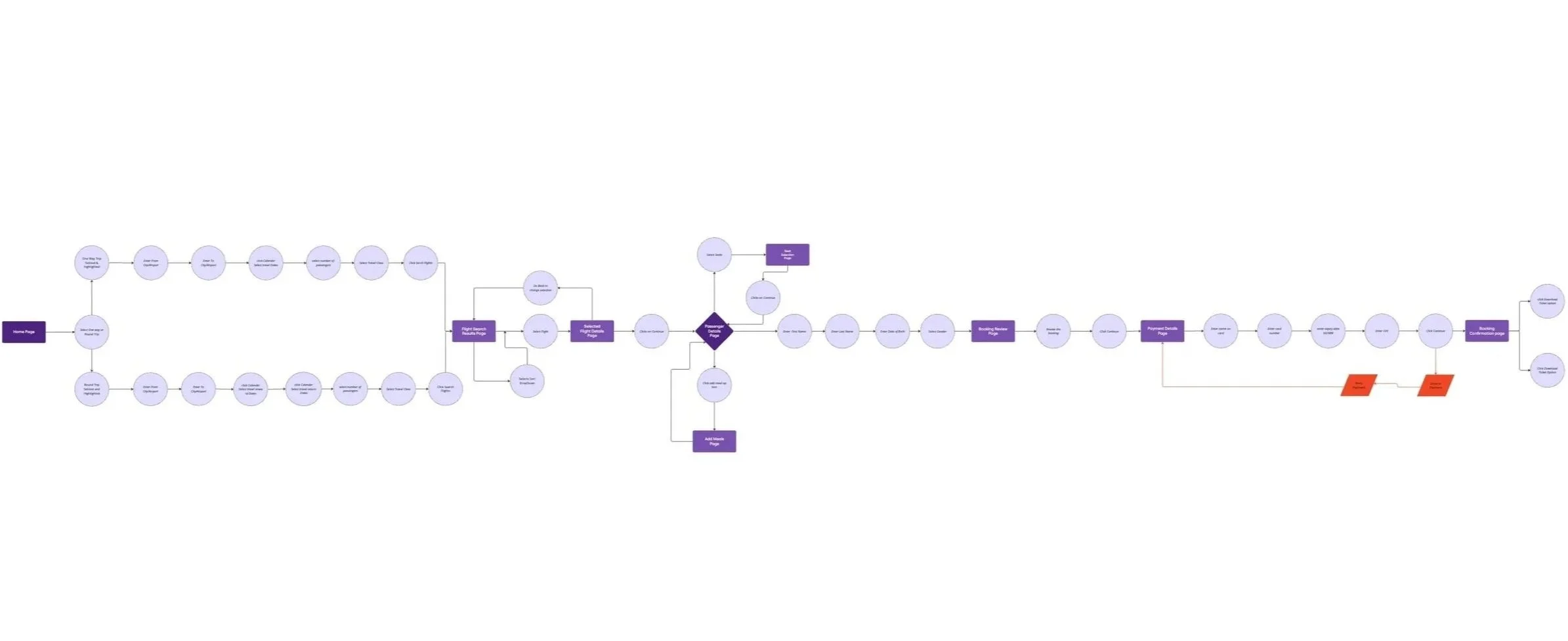
The flow below is from the JetSetGo AI travel platform — showing how I structured the end-to-end booking journey across flight search, passenger details, seat selection, payment, and booking confirmation. It includes agentic decision points where the platform acts on the user's behalf & maps the recovery paths when those actions need user input or correction.
Journey map
Journey maps help me see the experience from the user's point of view, like what they're trying to achieve, where they get stuck, and what they're feeling at each stage. I pair journey maps with personas to keep design decisions grounded in real behaviour, not assumptions.
This map covers the JetSetGo flight booking journey – from the moment a user decides to book through search, selection, and payment confirmation. It captures user goals, actions, emotions, pain points, and opportunities at each stage and directly informed the interaction design decisions made throughout the product.



Interaction design sketches
Early sketches help me explore layout, hierarchy, and interaction patterns before committing to high-fidelity design. This is where I work out how users will move through the experience, what information they need at each moment, and how to reduce cognitive load, so that later designs are faster to build and easier to use.
The sketches are from the JetSetGo project, showing early explorations of the core booking screens. These were used to align with the engineering team on interaction logic and screen structure before any Figma work began.
Usability testing

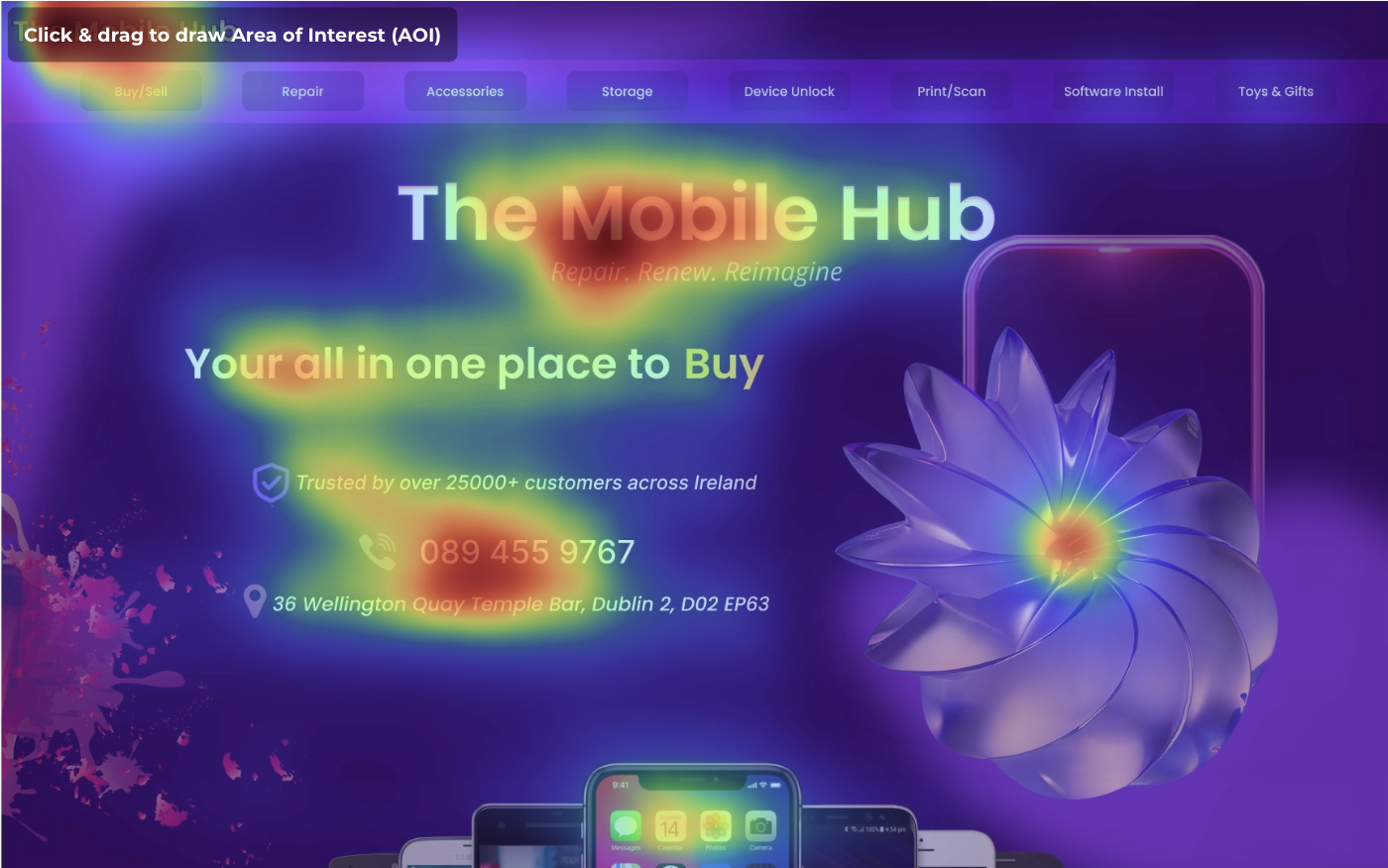
Using heatmaps to make smarter UX decisions
Heatmaps show me real user behaviour at scale — where people click, pause, scroll, and drop off. I use this data to improve information hierarchy, refine layouts, and reposition key elements like calls to action based on evidence rather than assumption
Explore the full JetSetGo case study presentation, where I walk through the end-to-end design process — from research and user flows to interaction design, design system decisions, and post-launch outcomes
Usability testing helps me validate whether the experience is actually clear in practice — not just in theory. I use testing to uncover confusion, misinterpretation, and hesitation at decision points, then refine flows, layout, and copy to make the product easier to complete correctly.
On the JetSetGo platform, post-launch usability data revealed that users were abandoning the fare comparison screen more than expected. Testing helped me identify the root cause — information overload under time pressure, and the redesign that followed improved engagement by 15% across key booking flows.
See the JetSetGo booking flows in action – an interactive prototype showing the full end-to-end journey, agentic AI decision points, and key interaction states.